Back to Advertise Your Listings

Boost, Turbo and Turbo Pro

What is Turbo Pro?

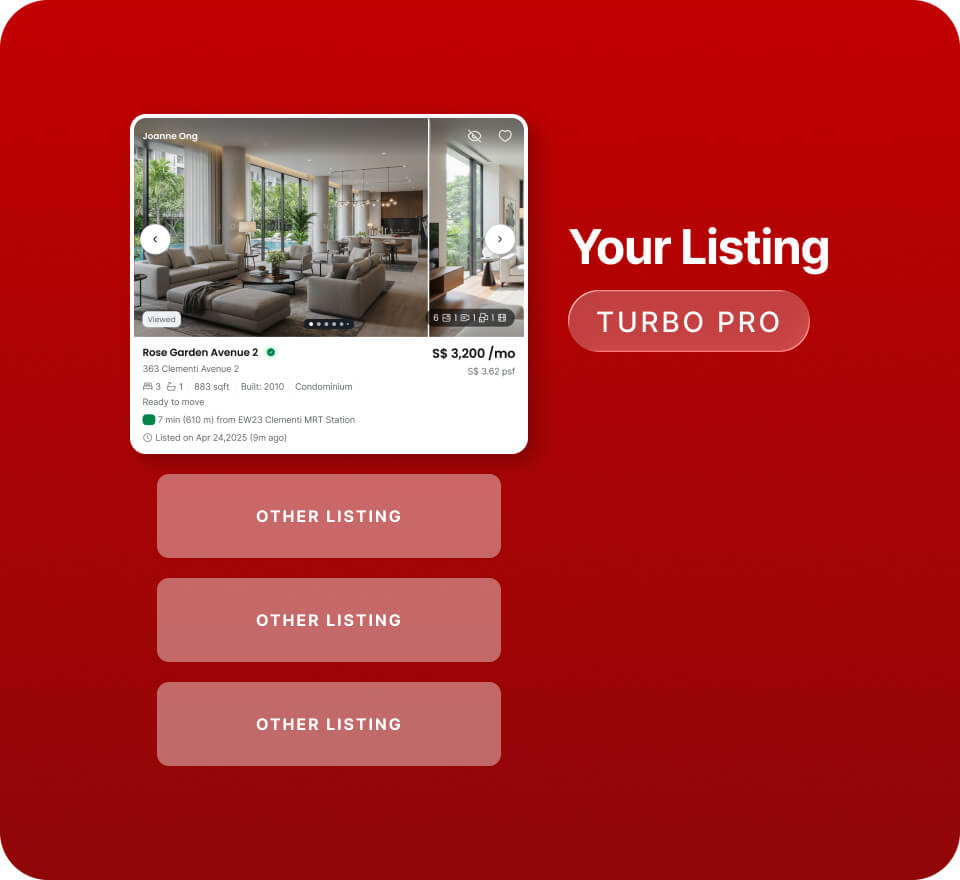
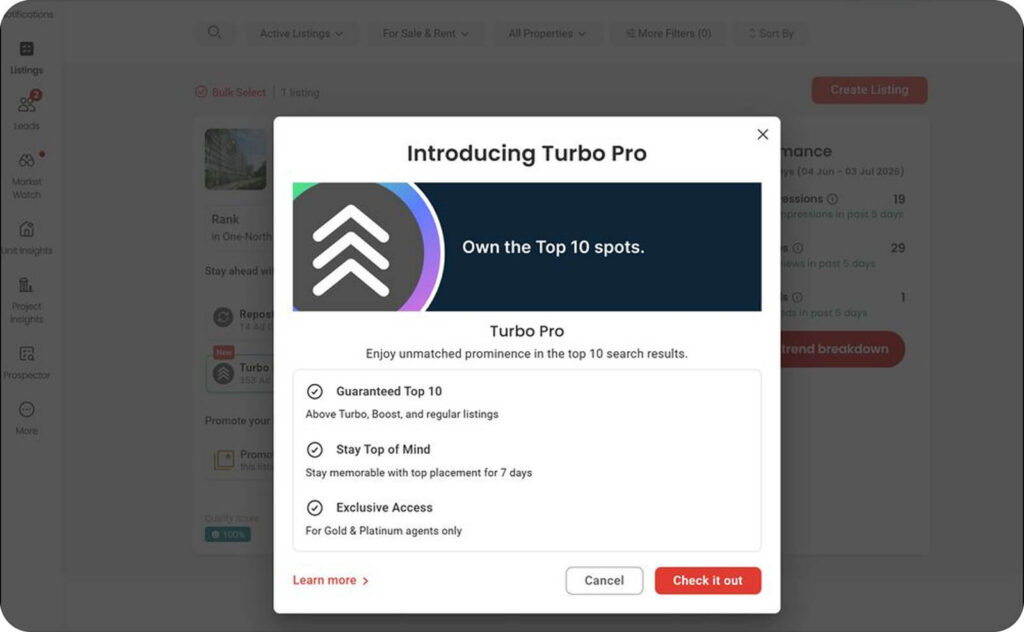
Turbo Pro is a premium ranking product that places your listing in the guaranteed top 10 spots in search results — above Turbo, Boost, and regular listings.

On this page

Last update: September 30, 2026

Get unmatched prominence #

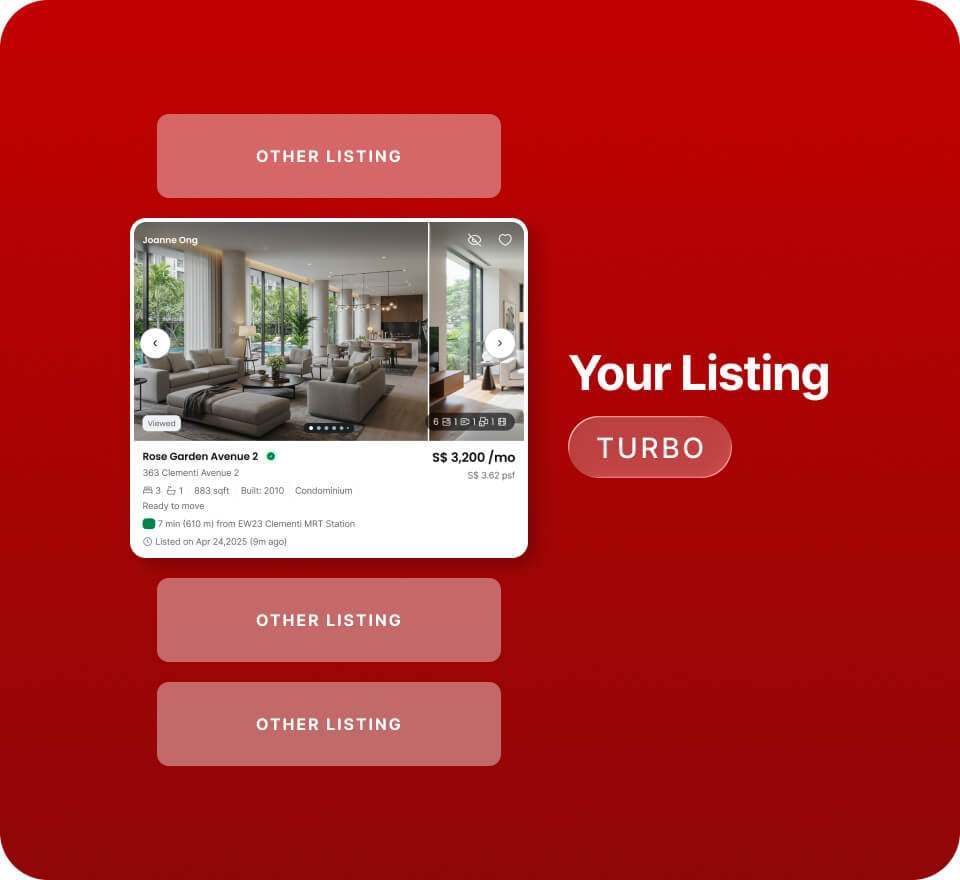
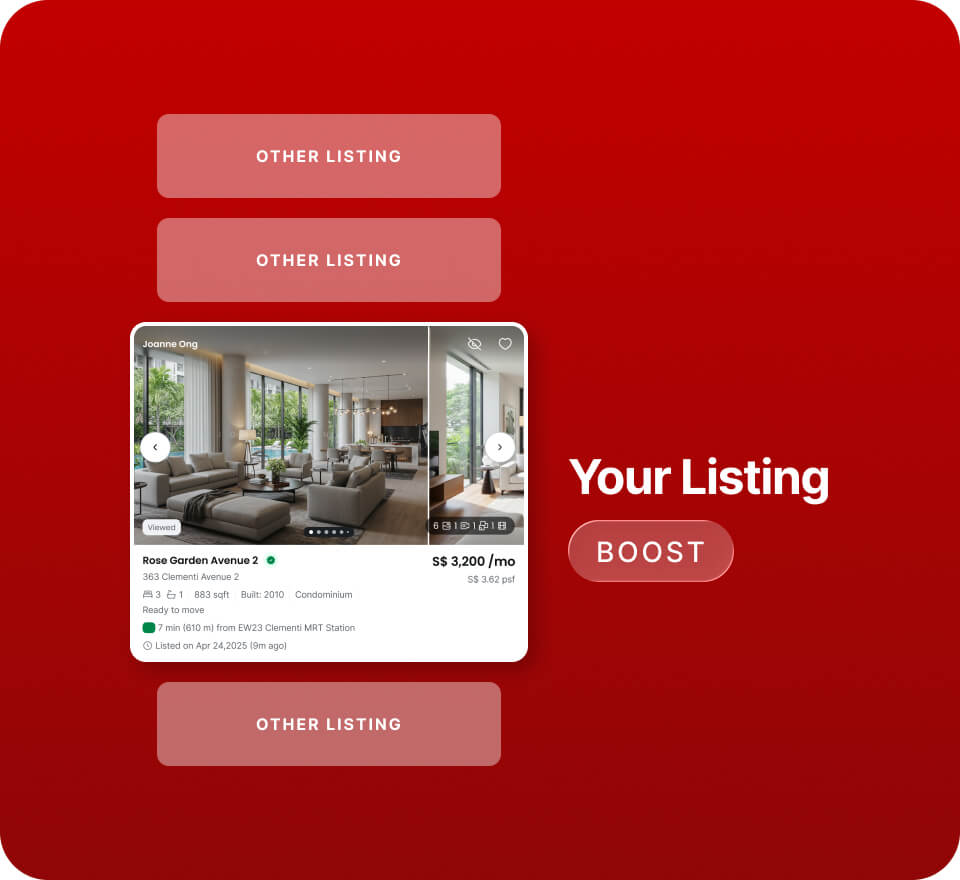
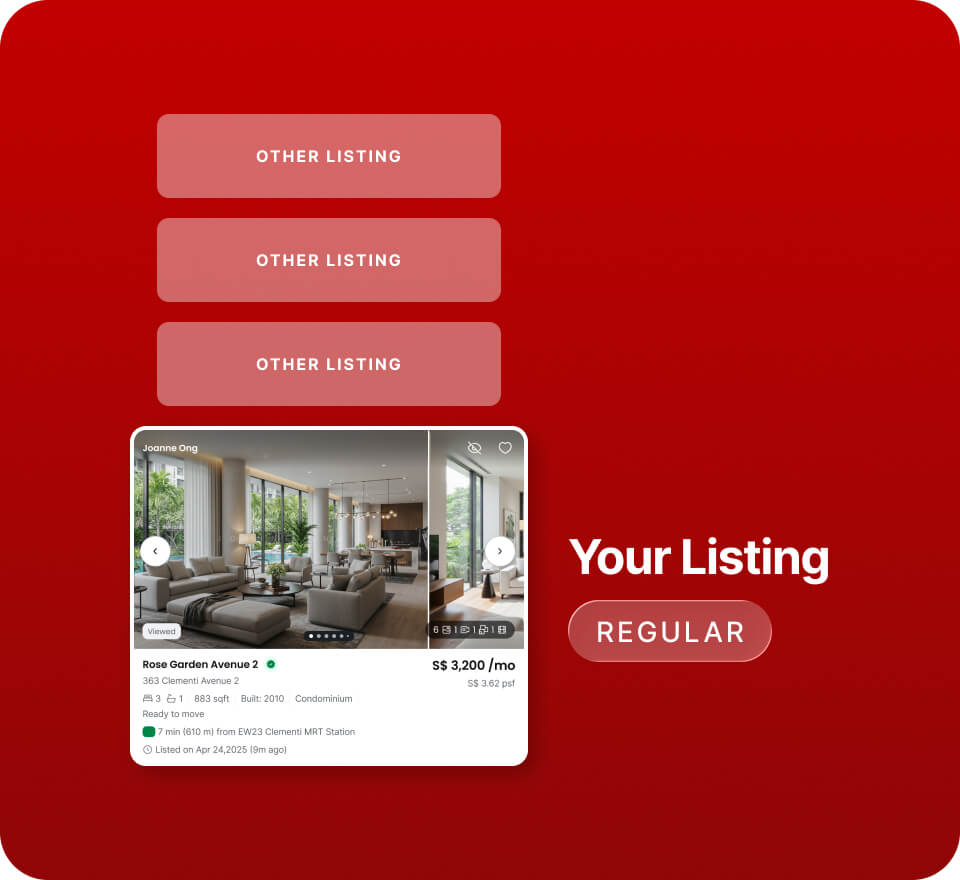
Tap a tool to see how your listing ranks in search results.
Search placement
Guaranteed top 10 in search results
Best Used For
Maximum visibility for premium, urgent, or highly competitive listings
Examples
Luxury condos
Landed homes
High-value listings
You get exclusivity with limited slots per location.
Search placement
Ranks above Boosted listings for faster visibility
Best Used For
Stronger visibility in competitive areas
Examples
MOP HDBs
Popular condo projects
Launches in high-enquiry neighbourhoods
Search placement
Ranks above regular listings for added exposure
Best Used For
Maintaining consistent exposure
Examples
New-to-market HDBs
HDBs in mature estates
OCR condos
Always on for Platinum.
Search placement
Standard placement
Your listing appears in the standard search results based on PropertyGuru's ranking algorithm.
Want more visibility? Use Boost, Turbo, or Turbo Pro to improve your listing’s position in search results.
Illustration only — actual placement depends on live market activity.
  • Boost is the affordable way to step up from regular listings.
  • Turbo accelerates visibility with higher placement than Boost.
  • Turbo Pro locks in a top 10 spot for Gold & Platinum agents in high-demand markets.
Top 10 applies to the Turbo Pro booking criteria you select. Your actual position in search results may vary depending on the property seeker’s search criteria and other eligible listings.

How does Turbo Pro work #

Turbo Pro is a 7-day premium product with even higher placement.

  • Turbo Pro activates immediately once purchased.
  • Slots are limited. Once all 10 slots are filled for a property type and location, Turbo Pro displays as Sold Out.
  • Once Turbo Pro is active, other ranking products for that listing are disabled, except Promoted Listings and Repost.
  • Ad Credits required. Dynamic pricing applies based on market demand and listing supply.

Turbo Pro Slot Structure #

Turbo Pro has 10 fixed slots within each eligible search segment.

How that segment is defined depends on the property type. Select a property type to see its segment.

YOUR BOOKING SEGMENT
Project
+
Sale or Rent
10 per segment
SLOT IN THIS SEGMENT
Each project has its own set of 10 slots, counted separately for sale and rent.
YOUR BOOKING SEGMENT
HDB estate
+
Room type
+
Sale or Rent
8 pools of 10 per estate
Slot pools by room type
Room Type

Sale or Rent

• 1-Room / Studio​
• 2A​
• 2I (Improved)​
• 2S (Standard)​
• 2-Room Flexi​
10 slots
• 3A​
• 3NG (New Gen)​
• 3I (Improved)​
• 3S (Simplified)​
• 3STD (Standard)​
• 3PA (Premium Apt)​
• incl. Modified variants​
10 slots
• 4A​
• 4NG (New Gen)​
• 4PA (Premium Apt)​
• 4I / 4S / 4STD​
10 slots
• 5A​
• 5I (Improved)​
• 5PA (Premium Apt)​
• 5S (Standard)​
• Jumbo​
• Terrace​
• Exec Apartment (EA)​
• Exec Maisonette (EM)​
• Multi-Generation (MG)​ ​
10 slots
Each room type has its own set of 10 slots within an estate, counted separately for sale and rent.

A full 3-Room Sale segment does not affect availability for 4-Room Sale in the same estate.
YOUR BOOKING SEGMENT
Landed property type
+
District
+
Sale or Rent
10 per segment
SLOT IN THIS SEGMENT
Each combination of landed property type and district has its own set of 10 slots, counted separately for sale and rent.
YOUR BOOKING SEGMENT
District
+
Property Type
10 per district, each type
DISTRICT type
Property Type

District

Retail
10 fixed slots
Industrial
10 fixed slots
Office
10 fixed slots
Land
10 fixed slots
Applies to Retail, Industrial, Office, and Land.

Each property type has its own 10 slots in each district.

All Turbo Pro slots at a glance #

Property type

Turbo Pro availability

Condo
10 fixed slots per project
HDB
10 fixed slots per HDB estate, with separate availability by room type and sale or rent
Landed
10 fixed slots per combination of landed property type and district
Retail
10 fixed slots per district
Industrial
10 fixed slots per district
Office
10 fixed slots per district
Land
10 fixed slots per district

Example #

Agent books
Tampines Estate + Sale + 3-Room
Slots available
10 Turbo Pro slots for that exact combination
Expiry date
The eligible listing competes for Turbo Pro positioning within the Tampines + Sale + 3-Room search segment
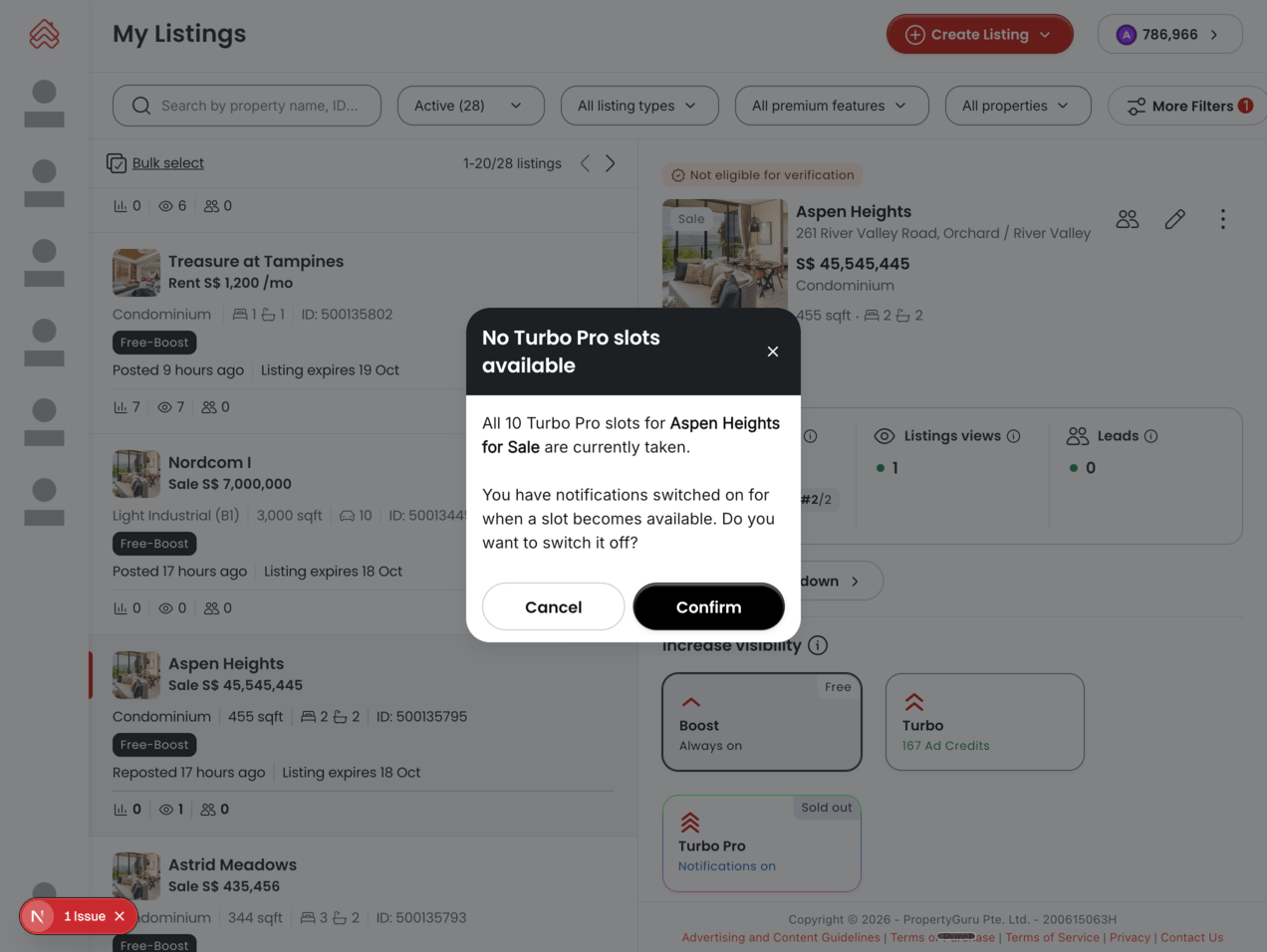
If all 10 slots in a segment are booked, Turbo Pro shows as Sold Out for that segment. You can opt in to be notified when a slot becomes available.

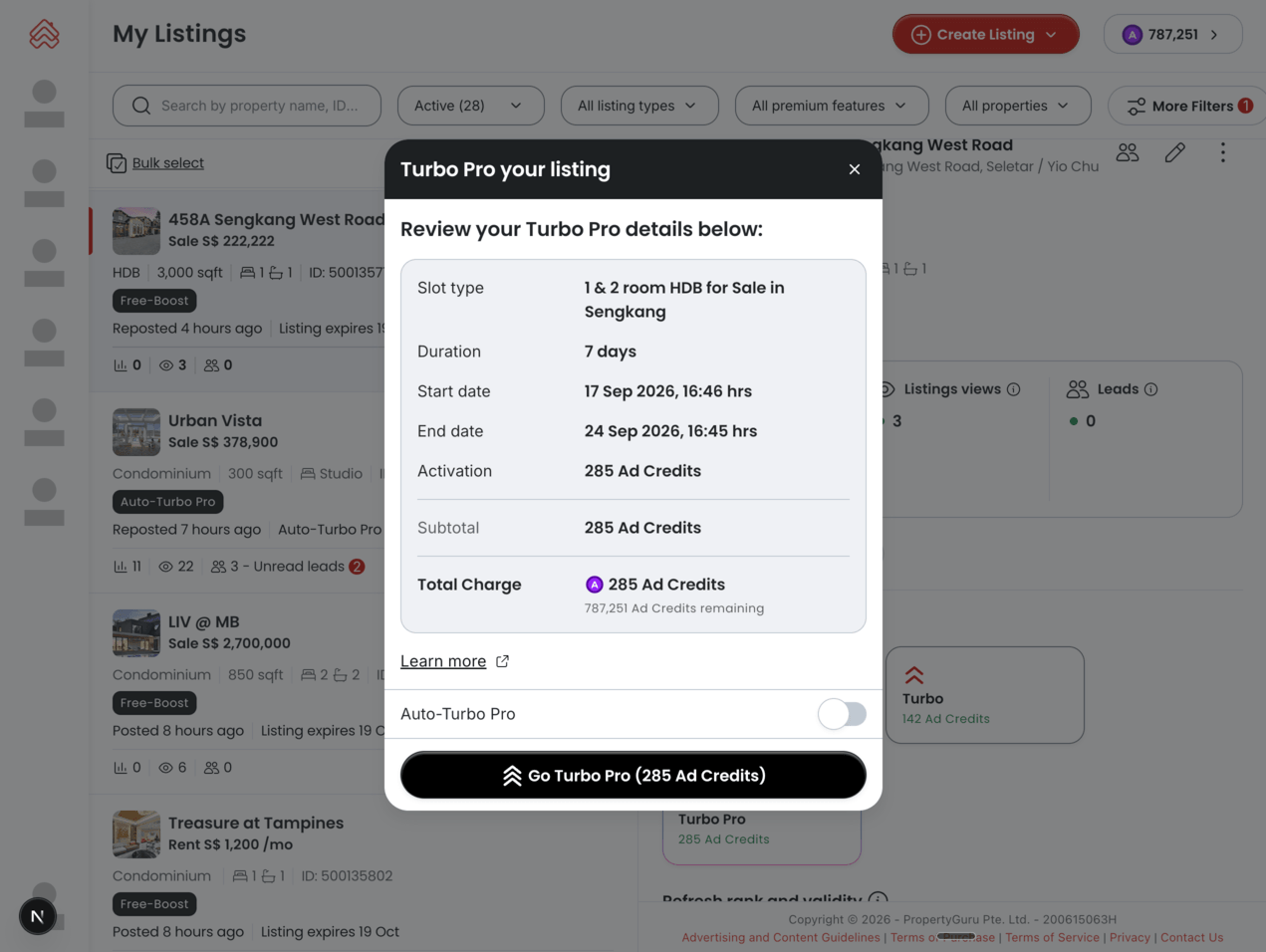
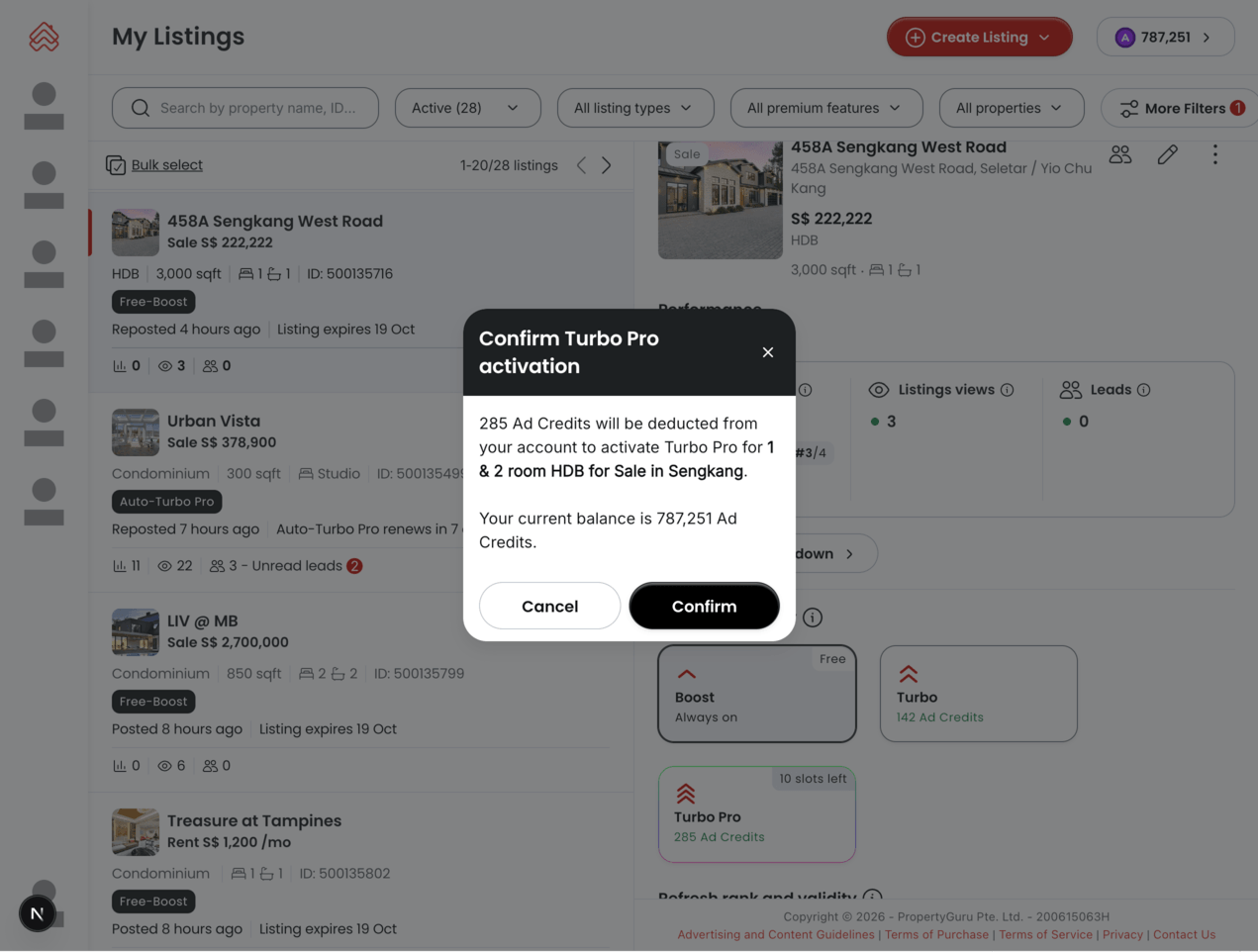
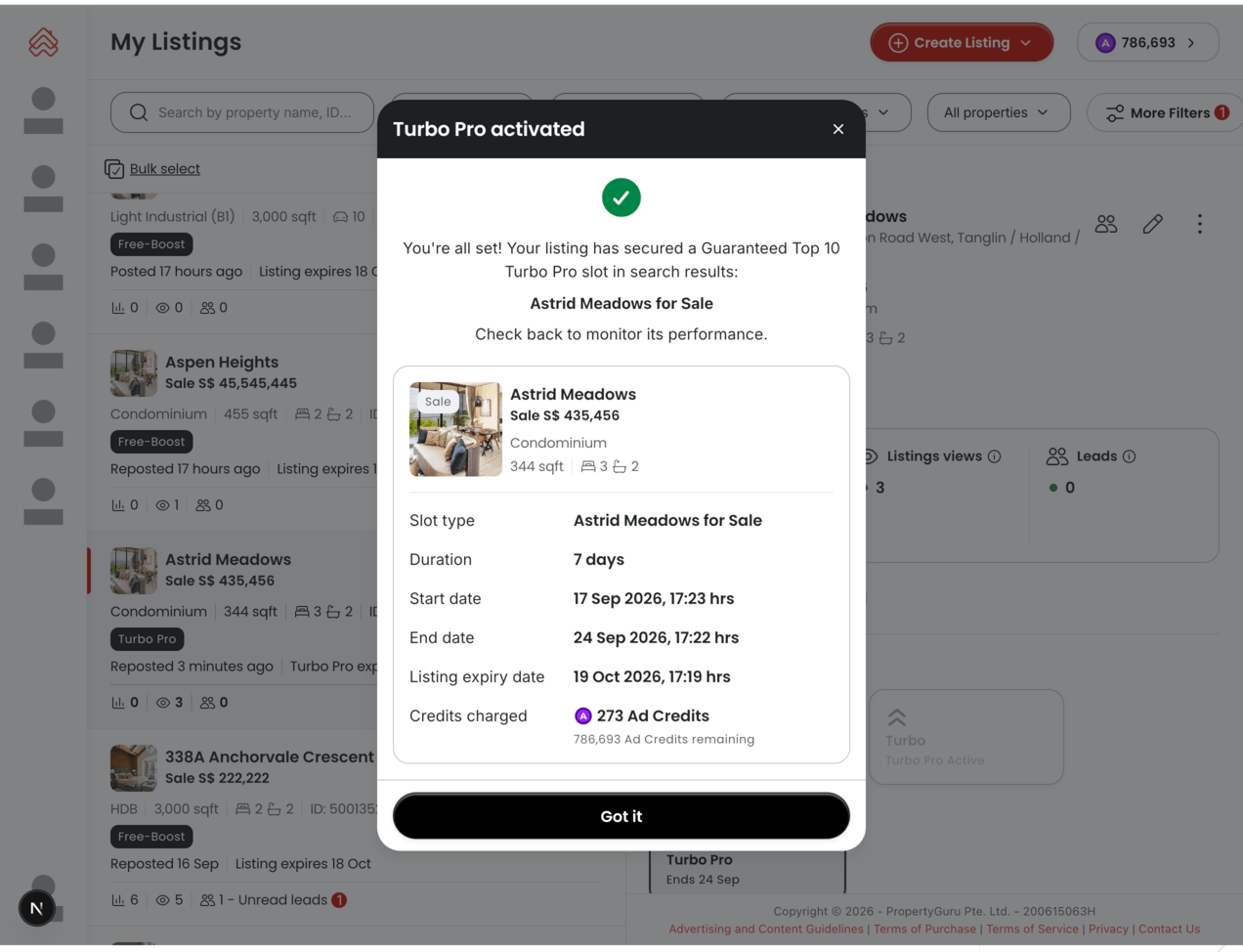
How to activate Turbo Pro #

Four steps in AgentNet. Use Previous and Next to walk through.

Prefer to automate it?

Use Auto Turbo Pro to renew your listing every 7 days automatically. Enable it during purchase or anytime later. If you run out of Ad Credits, Auto Turbo Pro pauses automatically — there are no unexpected charges.

Frequently asked questions

Tap a question to expand it.
How is Turbo Pro different from Turbo?

Turbo Pro guarantees a top 10 spot and is exclusive to Gold & Platinum agents, while Turbo places you above Boost but does not guarantee ranking.

How will my listing appear to property seekers after Turbo Pro is activated?

Turbo Pro listings are shown right at the top of the search results page, above all other products like Turbo and Boost. Within the Turbo Pro slots, listings are ordered by last updated or reposted first. Your listing design and branding stay consistent with your current subscription package.

Can I upgrade to Turbo Pro from Boost or Turbo?

You can upgrade any Boost or Turbo listing to Turbo Pro anytime with pro-rated pricing — you only pay the difference for the remaining days. Note: if upgrading from a free Boost entitlement, the full Turbo Pro cost applies.

What happens if Turbo Pro slots are sold out?

You’ll see “Sold Out” indicated next to the Turbo Pro icon on your listing. You can opt in to get a notification as soon as a slot becomes available. If Auto Turbo Pro fills all slots, we’ll notify you accordingly.

How much does Turbo Pro cost?

Pricing varies by property type and location, set by our dynamic pricing system that reflects current market conditions and demand. Check the latest price displayed in AgentNet before confirming your purchase.

How can I track Turbo Pro performance?

Check views, impressions, and leads generated from Turbo Pro; credit usage in your Ad Credits report; and Turbo Pro listing data in your Listing Performance report. This helps you measure ROI and plan future campaigns.

What happens to my Turbo Pro if I downgrade my subscription?

Any active Turbo Pro bookings continue until they expire. However, you’ll lose eligibility for future Turbo Pro purchases unless you upgrade your package again.

Was this article helpful?

Still need help?

Our support team is available to assist you with the technical queries.