Back to Advertise Your Listings

Boost, Turbo and Turbo Pro

What is Turbo?

Turbo is a ranking tool that places your listing above Boosted listings in search results. It runs for 7 days per activation and is available on all agent packages, for both residential and commercial listings.

On this page

Last update: August 31, 2026

See where Turbo places your listing #

Select a tool to compare its placement in search results.
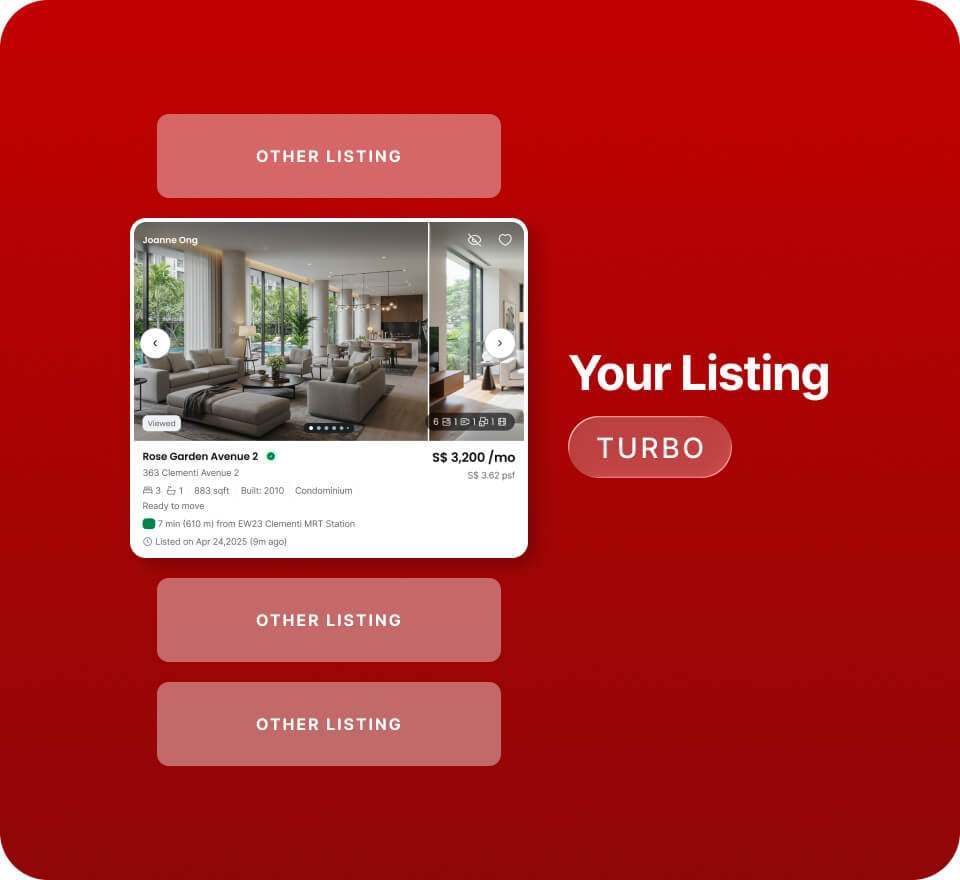
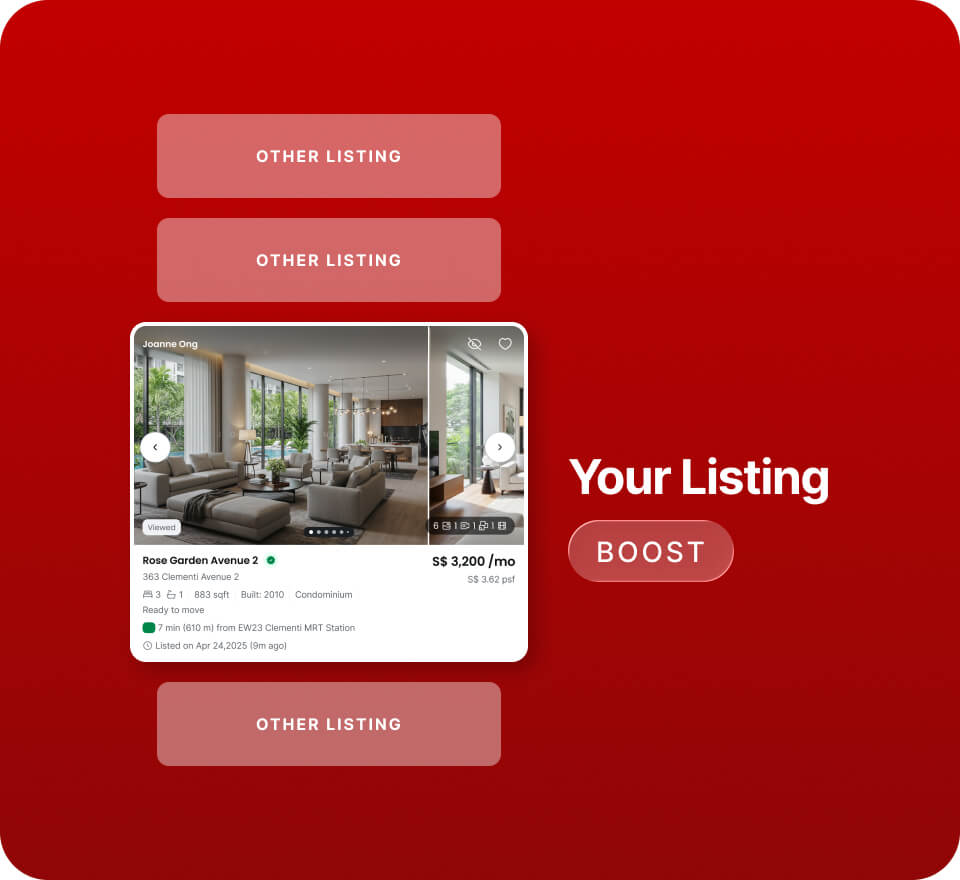
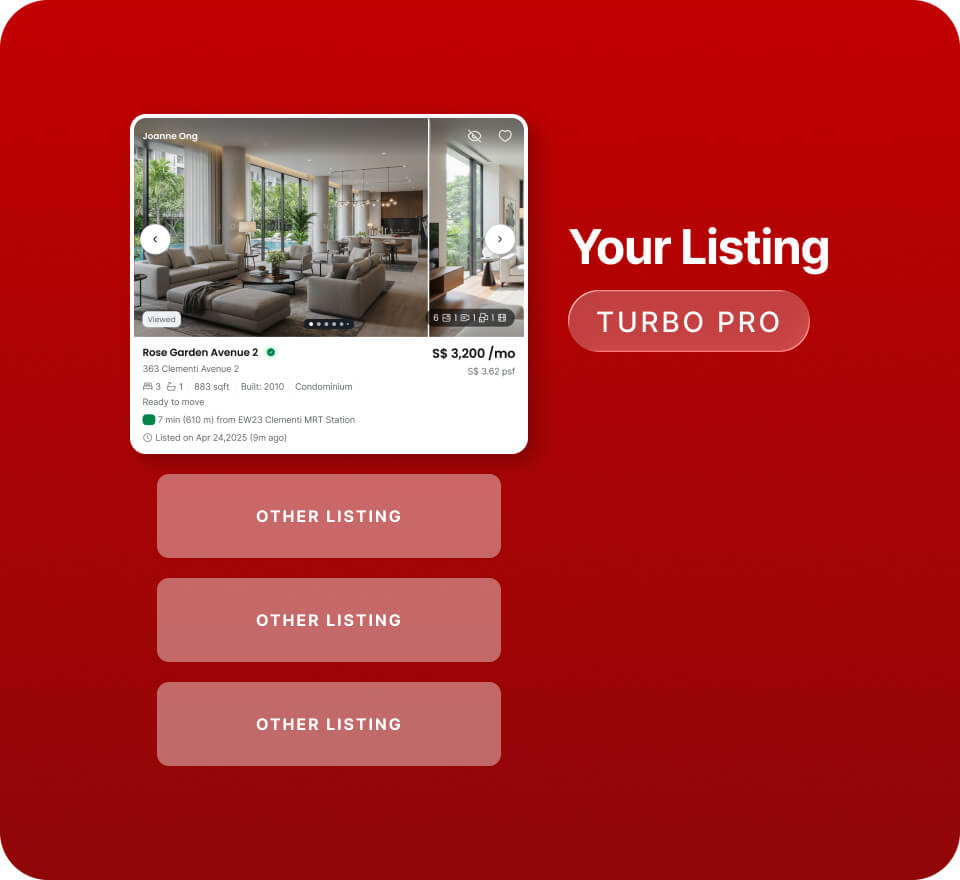
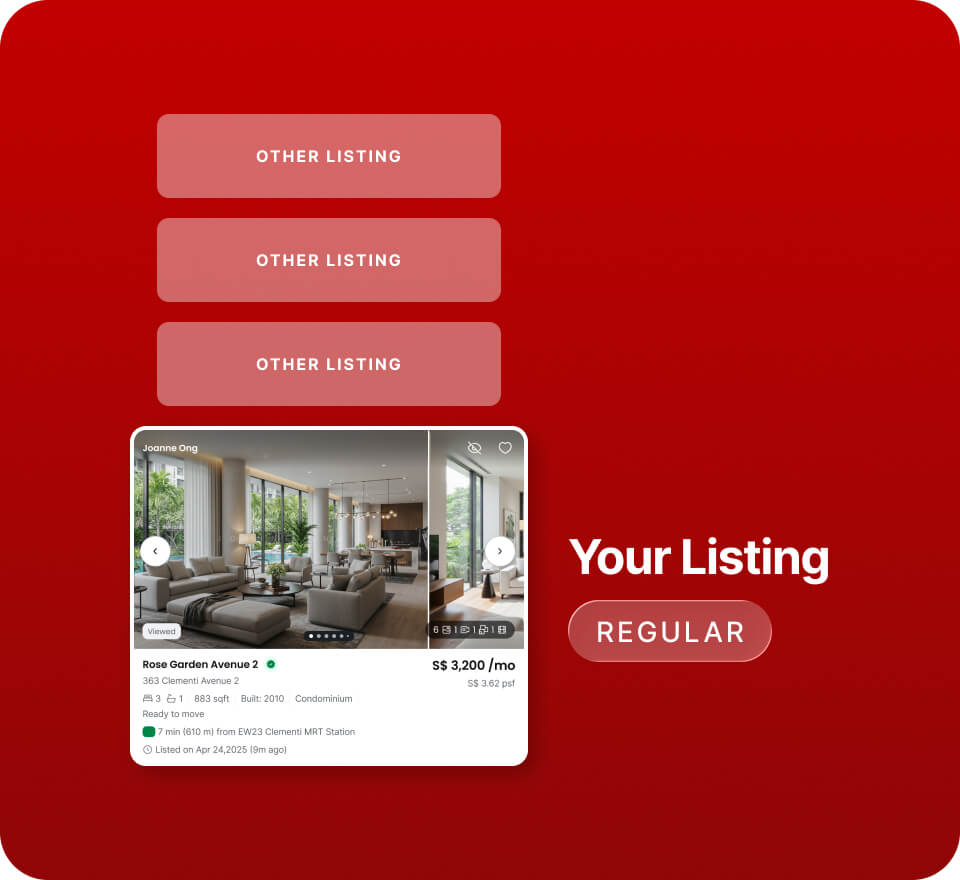
Search placement
Ranks above Boosted listings for faster visibility
Best Used For
Stronger visibility in competitive areas
Examples
MOP HDBs
Popular condo projects
Launches in high-enquiry neighbourhoods
Search placement
Ranks above regular listings for added exposure
Best Used For
Maintaining consistent exposure
Examples
New-to-market HDBs
HDBs in mature estates
OCR condos
Always on for Platinum.
Search placement
Guaranteed top 10 in search results
Best Used For
Maximum visibility for premium, urgent, or highly competitive listings
Examples
Luxury condos
Landed homes
High-value listings
You get exclusivity with limited slots per location.
Search placement
Standard placement
Your listing appears in the standard search results based on PropertyGuru's ranking algorithm.
Want more visibility? Use Boost, Turbo, or Turbo Pro to improve your listing’s position in search results.
Illustration only — actual placement depends on live market activity.
  • Boost ranks above regular listings.
  • Turbo ranks above Boosted listings.
  • Turbo Pro holds a guaranteed top 10 spot, for Gold and Platinum agents only.

How Turbo works
#

Before you activate Turbo, check these conditions.

  • Duration: each Turbo lasts 7 days.
  • Quality Score: your listing must have a Quality Score of at least 95%.
  • Ad Credits: Turbo is paid for with Ad Credits. Dynamic pricing applies based on market demand and listing supply, so check the price shown in AgentNet before you confirm.
  • Upgrading from Boost: you only pay the difference between the value remaining on your Boost and the cost of Turbo. See Upgrade from Boost to Turbo.
Turbo and Boost cannot run on the same listing at the same time. Activating Turbo ends the active Boost early, and the remaining Boost value is credited towards your Turbo cost.

Turbo your listings #

Select the method you want to use.

Ad Credits are deducted only when the listing renews. Turning Auto-Turbo on or off is free.

Upgrade from Boost to Turbo ​ #

You can activate Turbo while Boost is running. You pay only the difference between the value remaining on your Boost and the cost of Turbo.

Top-up = Turbo cost − ( Remaining Boost days ÷ 7 × Boost cost )
What you paid for the 7-day Boost
0–7 days
As shown in AgentNet
Remaining Boost days4 of 7
Remaining Boost value34 Ad Credits
Turbo cost100 Ad Credits
You pay66
Estimate only. Turbo and Boost both use dynamic pricing, so confirm the actual amount shown in AgentNet before you activate.
Check Turbo status on your listing #

The Turbo tab on each listing shows its current state.

Light blue
Turbo is active on this listing.
Orange
Turbo ends within 3 days. Renew it or enable Auto-Turbo to keep the ranking.
Expiry date
The date your current Turbo ends, shown on the tab.

Frequently asked questions

Select a question to expand it.
Is Turbo available for all listings?

Turbo is available for both residential and commercial listings, on all agent packages. The listing must have a Quality Score of at least 95%.

Can Turbo and Boost run on the same listing at the same time?

No. Turbo takes precedence. If you activate Turbo while Boost is active, the Boost ends early and the value remaining on it is credited towards your Turbo cost, so you only pay the difference.

What happens if I don't have enough Ad Credits for Auto-Turbo?

The listing does not renew, and Auto-Turbo is disabled. Top up your Ad Credits and turn Auto-Turbo on again to resume renewals.

Does Turbo reduce the number of listings shown per page?

No. The number of listings on each search results page is unchanged.

Can I cancel or refund a Turbo?

Contact our support team using the link at the bottom of this page.

Can I Repost a listing with Turbo active?

Yes. Reposting refreshes your listing’s position among Turbo listings and does not cancel the active Turbo.

Was this article helpful?

Still need help?

Our support team is available to assist you with the technical queries.