For iOS Users (iPhone)
Enable Notifications
-
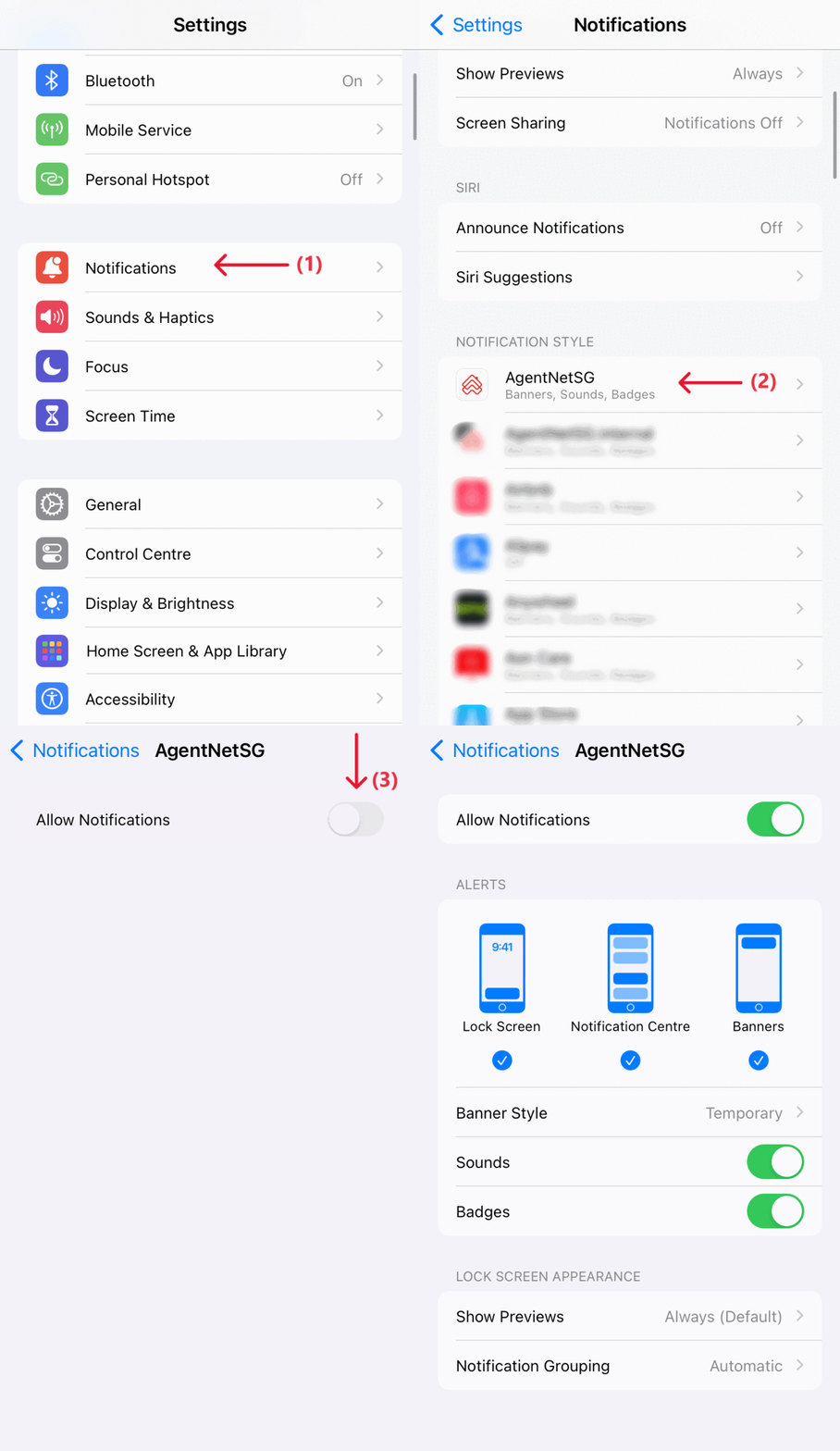
Open your Settings app.
-
Tap on Notifications.
-
Scroll down and select AgentNetSG from the list of apps.
-
Toggle Allow Notifications to green (enabled).
-
If it’s already green, no further action is needed.
-
Not Receiving Notifications?
Try This:
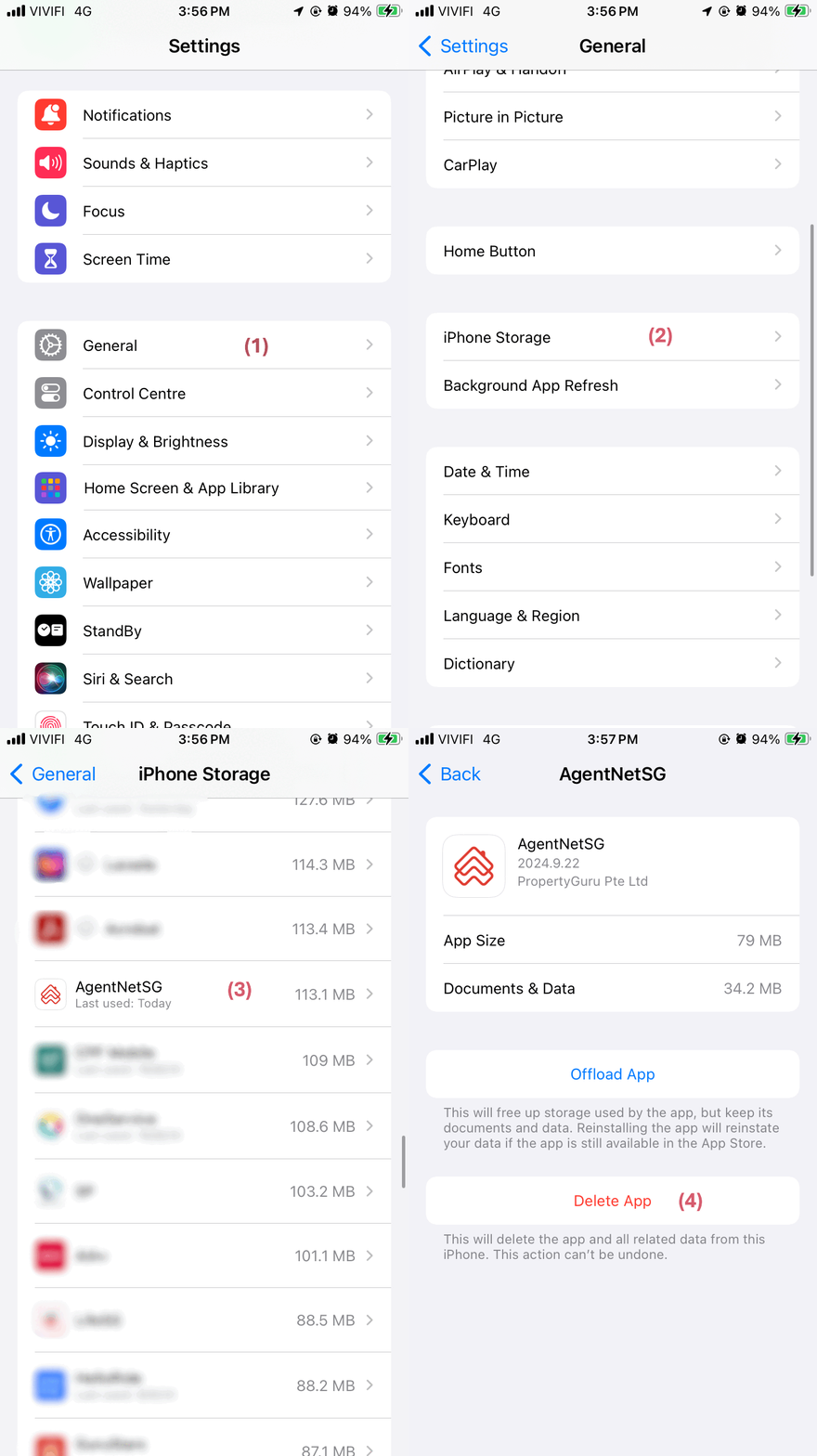
Step 1: Delete the App
Go to: Settings > General > iPhone Storage > AgentNetSG > Delete App
Step 2: Reinstall the App
Download AgentNet again from the App Store.
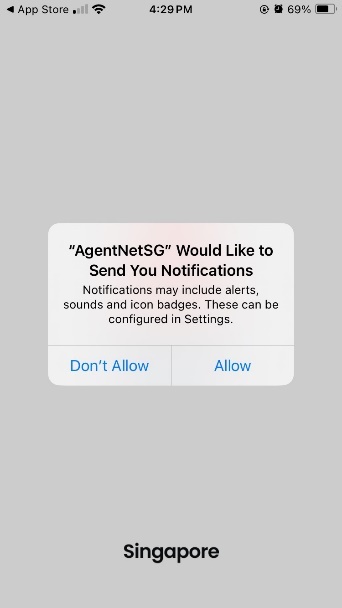
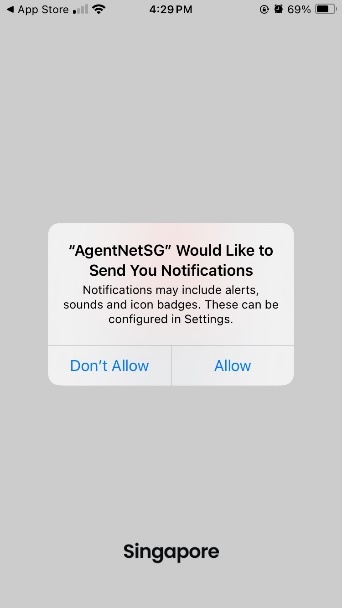
Step 3: Allow Notifications
When prompted after installation, tap “Allow” to enable push notifications.
For Android Users
Enable Notifications
-
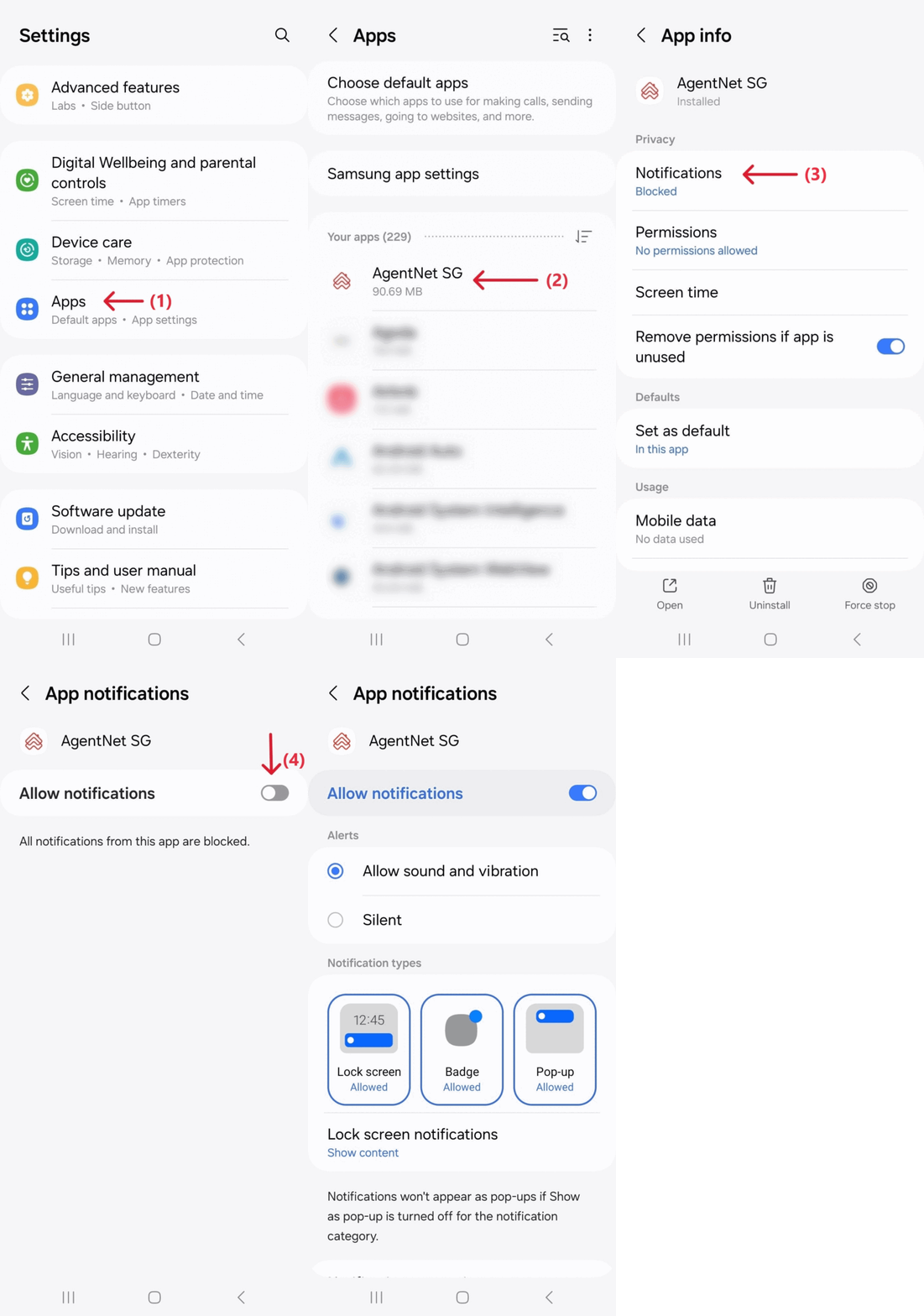
Open your Settings app.
-
Tap on Apps.
-
Select AgentNetSG from your list of apps.
-
Tap Notifications.
-
Toggle Allow Notifications to blue (enabled).
-
If it’s already blue, you’re all set!
-
Not Receiving Notifications?
Try This:
Step 1: Uninstall the App
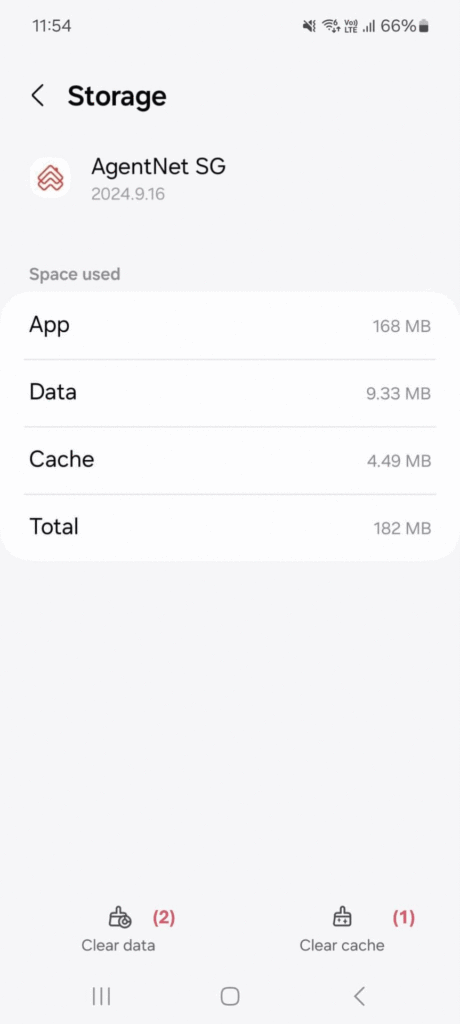
Go to: Settings > Apps > AgentNetSG > Storage
Tap Clear Cache, then Clear Data, and finally Uninstall the app.
Step 2: Reinstall the App
Download AgentNet again from the Google Play Store.
Step 3: Allow Notifications
Tap “Allow” when prompted after reinstalling the app.